FitPix - Face & Body Editor
- 4.5
- Rating
- 10.00M
- Installs
- Free
- Price

 Analysis by App-foxy
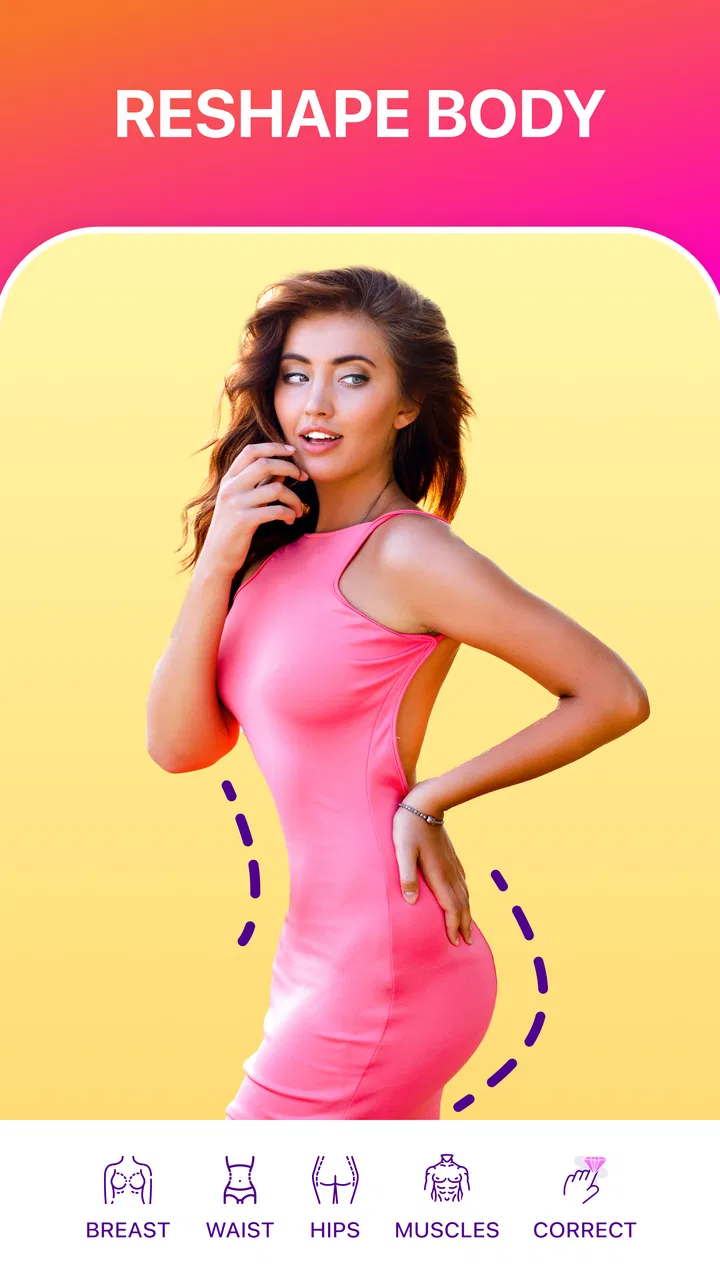
I found FitPix - Face & Body Editor most useful when I treated it as a focused photo-retouching tool rather than a complete photography studio. Its main appeal is straightforward: it helps adjust the appearance of a person in an existing picture, with particular attention to body shape and slimming edits. That makes it easy to understand, but getting a natural result still depends more on the photo and the editing approach than on pressing a single button.
FitPix is a free photography app from eToolkit Inc, available for people aged Everyone. It has reached over 10 million installs and holds a 4.4 average from around 50 thousand ratings, so it is clearly aimed at a broad audience rather than professional retouchers alone. I would recommend it to someone who wants a quick way to tidy up a personal photo before sharing it, especially when opening a full desktop editor would feel excessive.
Getting started without the usual confusion
The first place users can get stuck is choosing the right image. A body-editing tool cannot produce a convincing result if the subject is partly hidden, heavily blurred, cut off at the edges, or standing against a busy background. Before editing, I look for a picture where the person is visible from the angle I want to preserve and where the surrounding lines are easy to inspect. This simple check matters because reshaping a figure can also affect nearby walls, doors, furniture, or floor patterns.
You May Also Like

 Google Keep - Notes and lists
Google Keep’s Quiet Growth Shows the Appeal of Simpler Notes
As mobile work gets busier, Google Keep keeps winning a simple contest: capture a thought quickly, find it later, and get on with the day.

 Blood Strike: 2.5 Anniversary
Blood Strike’s Loadouts Turn Every Drop Into a Tactical Gamble
A close look at Blood Strike’s custom loadouts: how fast access to signature weapons reshapes its battle royale rhythm, rewards preparation, and narrows the gap between fights.

 Pandora - Music & Podcasts
Pandora’s Music Is Easy to Start, but Harder to Recover
Pandora’s strength is its low-effort path from a seed to a station. Its weak spot is how much confidence it asks you to place in connection, setup, and quiet recovery.

 8 Ball Pool
 Is Built on Rivalries, Rematches, and Routine
A close look at the rivalries, rematches, shared routines, and unanswered safety questions that turn a quick pool match into a persistent mobile community.

 Samsung Music
’s Quiet Strength Is Playing What You Already Own
Its reach comes less from spectacle than from dependable access to a personal library. That simplicity is both the app’s strongest retention engine and its ceiling.

 AccuWeather: Weather Radar
AccuWeather Review: A Quick, Clear Forecast for Everyday Decisions
For everyday plans, the best forecast is the one you can understand quickly. AccuWeather makes rain timing, radar, and local conditions easy to act on, with a few trade-offs.
More From Our News Desk



I also avoid judging the app from a rushed first attempt. The phrase “make your body slim” may suggest an automatic one-tap result, but realistic retouching is usually more delicate. If I push an adjustment too far, the image can look stretched or the background can reveal that something changed. My best results come from making a modest edit, stepping back to view the whole photo, and then deciding whether another small correction is genuinely needed.
FitPix runs on Android starting with version 6.0, which makes it accessible on many older devices as well as newer phones. The current version is 1.8.24. Even so, an older phone may feel less comfortable with high-resolution images than a recent model. If an image takes time to open or the editing view feels sluggish, I first close other demanding apps and retry with a copy of the photo. That is a more sensible first step than assuming the editor itself is broken.
The app is free to install, while in-app purchases range from $1.99 to $39.99 per item. I would check the screen carefully before confirming anything, particularly if I am only testing the basic workflow. A free starting point is helpful, but the presence of optional purchases means I would not begin an important project until I know which parts of the editing process are available without payment.
Photo choice affects the result more than expected
A common mistake is using a photo with strong perspective distortion. Someone photographed very close to the camera may already look wider or narrower depending on where they stand in the frame. Editing that picture can exaggerate the original distortion. For a more believable result, I prefer a reasonably balanced composition, even lighting, and enough space around the body to inspect the edges after making changes.
Another useful preparation step is saving the original separately. I never overwrite the only copy of a personal photo while experimenting. A duplicate gives me freedom to compare the edited version with the starting image and return to the original if the result becomes too artificial. This is especially important with body adjustments because the change can seem subtle while zoomed in but much more obvious when the whole image is viewed at normal size.
When the app does not open an image as expected, I check whether the picture is actually stored on the device and whether another application can display it normally. If the same image fails elsewhere, the problem may be the file rather than FitPix. Trying a different ordinary photo is a quick diagnostic: if that one loads, I would convert or resave the troublesome image before spending time reinstalling anything.
A controlled editing routine produces cleaner results
My preferred workflow is deliberately slow. I start with the smallest useful body adjustment, inspect the outline around the shoulders, waist, hips, arms, and legs, and then look at the background. Straight architectural lines are excellent warning signs. If a doorframe bends or a tiled floor suddenly curves, I undo the last change rather than trying to hide the distortion with another edit.
This is one of the less obvious trade-offs of a body editor: a stronger correction may be more noticeable on the person but less believable in the complete photograph. A restrained edit often looks better in a social post, profile picture, or family snapshot because viewers see the whole composition rather than the isolated body area. I would rather keep a small imperfection than create an obvious warped edge.
For a realistic everyday example, imagine taking a quick full-length photo before meeting friends. The clothing sits slightly awkwardly, the camera angle is not ideal, and you want a cleaner image without rebuilding the entire picture. I would duplicate the image, make a light adjustment, inspect the background, and compare both versions at the same zoom level. If the edited photo still looks like the same moment, the app has done its job. If the change becomes the first thing I notice, I have gone too far.
Face retouching requires the same restraint. A small correction can help a casual portrait feel more polished, but repeated changes may remove the details that make the person look like themselves. I would avoid applying several strong edits in succession without checking the full image. The most convincing retouching is often the kind a viewer cannot identify immediately.
Recovering when an edit goes wrong
Workflow recovery is easier when I treat each attempt as disposable. If an adjustment produces a strange outline, I return to the earlier state or reopen the untouched copy instead of trying to repair every affected area. This also prevents a common problem in photo editing: accumulating small changes until it becomes difficult to remember which one caused the distortion.
If the app appears to freeze during an edit, I would wait briefly before repeatedly tapping controls. Multiple taps can make it unclear whether a command was ignored or simply delayed. If the screen remains unresponsive, closing and reopening the app is a reasonable general troubleshooting step. I would then try the same action on a duplicate or smaller image, because a large file can place more pressure on a phone than a simple portrait.
When a saved result is not visible where I expect it, I check the device’s normal photo gallery and recent images rather than assuming the export failed. I also make sure I am looking at the edited copy, not the original. If the result still cannot be found, repeating the process with a nonessential picture can reveal whether the issue is specific to one file or part of the general saving workflow.
I would not uninstall the app as the first response to a problem. Reinstallation can remove convenient local work or reset the editing session, depending on how the device handles app storage. A safer order is to preserve the original photo, restart the app, test another image, and only then consider more disruptive troubleshooting. That approach is useful because it separates a temporary hiccup from a repeatable limitation.
When the phone or photo is really the problem
Not every failed result is caused by FitPix. A low-light picture may contain too much noise for subtle retouching, while motion blur can make facial or body edges difficult to judge. A compressed image downloaded from a messaging service may also look worse after editing because it already contains fewer visual details. In those cases, improving the source photo or choosing a sharper original is more effective than changing editors.
Storage pressure can create its own friction. If the phone is nearly full, saving or processing an image may behave unpredictably, and other apps may also slow down. I would check available space and close background apps before concluding that the editor is at fault. Keeping a little room for temporary files is sensible whenever I am working with large photos.
Permissions and device settings can also interrupt a normal workflow. If the app cannot reach a picture, I would review the phone’s app access settings and confirm that the image is available through the location where it was saved. The exact screens vary between Android versions, so I would use the device’s standard settings rather than guessing at a hidden FitPix option. If access is already allowed and other images work, the file itself becomes the more likely explanation.
There is also a creative limitation that troubleshooting cannot solve: FitPix is not the best choice for every kind of photography. If I need layers, masks, detailed color correction, object removal, typography, or precise professional retouching, I would choose a broader editor. A general photo editor gives me more control over the entire image, while FitPix is more appealing when the main task is a quick portrait or body-shape adjustment.
How it compares with ordinary photo editors
Compared with a standard gallery editor, FitPix is more specialized. A gallery editor is usually better for cropping, rotating, brightness, contrast, and quick color changes, but it may not be centered on reshaping a person. FitPix makes more sense when the desired change concerns the subject’s appearance rather than the exposure or composition of the photograph.
Compared with a full desktop retouching program, the advantage is convenience. I can work from a phone without learning a large collection of professional tools. The compromise is control: a focused mobile app may be faster for a small personal edit, but it is not what I would choose for a commercial image where every edge, proportion, and background detail must be checked carefully.
Compared with relying on social-media filters, FitPix offers a more intentional workflow for a particular portrait. Filters often change the overall mood or color of a picture, whereas this app is aimed at editing the person in the frame. That focus is useful, but it also means the result can look unnatural faster if I treat the controls like a dramatic effect instead of a finishing touch.
Who will appreciate it, and who should skip it
I think FitPix suits casual users who want to improve a portrait, adjust a full-body photo, or prepare an image for sharing without opening a complicated editor. It is also a practical option for someone using an older Android phone, provided the device has enough free space and the source photos are in good condition. The free entry point makes it reasonable to test on unimportant pictures before deciding whether the available tools match personal needs.
I would be more cautious about recommending it to users who dislike appearance-altering edits or who need exact, repeatable professional control. It is not the right fit for editing a large batch of images with strict consistency, nor would I rely on it for work where a warped background or overly smooth face could damage credibility. People who want only basic lighting and cropping may also find a phone’s built-in editor simpler.
Privacy-minded users should follow their normal habits for any app that works with personal photos: choose images carefully, avoid editing sensitive material unnecessarily, and review the phone’s access settings. I do not use a real-time, irreplaceable photo as my first test. A duplicate of an ordinary picture gives me a safer way to understand the workflow and see whether the final image is stored where I expect.
My practical verdict after using the workflow
FitPix is best understood as a convenient, focused tool for small portrait and body-shape adjustments. Its strengths are accessibility, a clear purpose, and a workflow that can be quicker than opening a heavyweight editor. Its weaknesses appear when the original photo is poor, the edit is pushed too far, or the user expects professional-grade control over every part of the image.
The most important advice I can give is to work from a duplicate, begin with a restrained change, and inspect the background as carefully as the person. Those three habits prevent most disappointing results. If an image will be shared publicly, I also recommend viewing it at normal size before saving the final version; an edit that seems fine while zoomed in may not hold together in the complete frame.
With those expectations, I see this app as a useful free starting point for casual photo retouching, especially when body or face adjustments are the main goal. I would try it before paying for a more complex editor, but I would not confuse its convenience with unlimited control. For quick personal photos, that balance can be exactly right. For detailed, natural-looking professional work, a more advanced alternative remains the better choice.
Overall, FitPix earns its place for users who want a direct mobile solution and are willing to edit lightly. Its Everyone age rating and broad availability make it approachable, while the optional purchases mean I would review each purchase screen before continuing beyond the free experience. If your priority is a fast, careful improvement to one photo at a time, I think it is worth trying; if your priority is comprehensive image production, I would look elsewhere.
eToolkit Inc has kept the concept easy to grasp, and the app’s popularity reflects that straightforward appeal. My recommendation is conditional but positive: use it as a focused finishing tool, protect your originals, and let the quality of the source image guide your expectations. Natural-looking restraint is the real key to getting value from FitPix.
FAQs for FitPix - Face & Body Editor
01What features does FitPix offer for photo editing?
FitPix provides a variety of photo editing tools focused on enhancing facial and body features. Users can slim or reshape body parts, adjust facial features, and apply filters to enhance images. The app also includes tools for removing blemishes and whitening teeth, making it a comprehensive photo editing solution.
02Is FitPix user-friendly for beginners?
Yes, FitPix is designed with a user-friendly interface that makes it accessible for beginners. It offers easy navigation with clear instructions for each tool. The app includes tutorials and tips to help new users get the most out of its features, ensuring a smooth editing experience even for those new to photo editing.
03Are there any privacy concerns with using FitPix?
FitPix prioritizes user privacy by implementing strict data protection policies. Photos are processed locally on your device and not uploaded to servers. However, users should still review the app’s privacy policy to understand how their data is handled and ensure they are comfortable with the app’s practices before downloading.
04Does FitPix offer any in-app purchases or subscriptions?
FitPix offers both free and premium features. While the basic tools are free, advanced features like certain filters and editing tools may require in-app purchases or a subscription. Users can choose to upgrade to access these features, providing flexibility based on individual needs and preferences.
05Can FitPix be used on both Android and iOS devices?
Yes, FitPix is available for both Android and iOS platforms. The app is optimized for various devices, ensuring a consistent user experience across different operating systems. Users can download FitPix from the Google Play Store for Android devices and the Apple App Store for iOS devices.
Pros
- Easy-to-use interface for quick edits.
- Wide range of editing tools and filters.
- Real-time preview enhances user experience.
- Supports high-resolution photo exports.
- Frequent updates with new features.
Cons
- Ads can interrupt editing flow.
- Some features require in-app purchases.
- Limited free trial period for premium tools.
- Heavy on device storage usage.
- No offline editing capabilities.

FitPix - Face & Body Editor
Gallery